

Our permanent entry is cddbt.com, and the running strip at the top of the site shows the current domain and the next one. We do not publish numbered mirror lists, because they go stale quickly and attract fake copies. This page explains the safe way to find the right address, what to do when a page does not open and how to recognise a cloned site. Play is for adults aged 18 and over only.
Caddebet Access Guide
When a link stops working, three steps solve most cases: type the permanent entry, read the strip on the site, and ask live support if you are still unsure. The rest of this page explains each step.
People who search for access often land on forums, ads or messages that promise a "working link". None of those sources is reliable. The only dependable method is to type cddbt.com yourself. When the site opens, the strip at the top displays the current domain.
You will find a symptom table, a step-by-step routine, a fake-site checklist and a section for mobile users below. Use the contents bar at the top of the page to jump to what you need.
Why the Caddebet Address Changes

Access to betting sites based outside Turkey can be blocked by access restrictions. When a domain is blocked, we continue under a new one. That is why a new domain can appear, and why a Caddebet new address is a normal event rather than a problem with your account. The strip on our site shows the current domain and the next one, and the next number simply continues the sequence.
A Caddebet working link is simply the address that currently opens the site, and we show it in the moving strip. Caddebet odds screens and other pages may look different on a blocked address, which is another reason to check where you are.
Blocking can feel different on different networks. On one provider an old domain may work for hours, on another it fails at once. That depends on how each provider applies the decision.
An address change does not threaten your account. It does, however, give fake copies a chance to spread, which is why the following sections explain how to verify an address. We cannot promise any address will stay open for a set time; what stays constant is the way to find the next one.
Official Telegram and Social Announcements
We announce the address on the site itself, through the running strip and through the permanent entry cddbt.com. Telegram or social media accounts that use our name are not our address channel, so do not rely on them for addresses.
People looking for Caddebet sports betting through chat groups should be careful, because only the strip on the site and cddbt.com give reliable address information.
A practical rule for social media: if an account asks you to send money, share a password or click a link and enter details, it is not us. The only correct channels for support are the live chat on the site and [email protected].
Check any address you receive in a message against the site's strip. If it does not match, do not open it. If you spot a suspicious account, tell our support team; this protects other players as well.
What to Do When the Address Changes (Step by Step)

If the old address stops opening, follow this routine:
- Type cddbt.com into the address bar and open the site.
- Read the current domain from the running strip.
- Check that the address starts with https and shows a lock icon.
- Log in on the new address with your usual username and password.
- Save the new address and delete the old one from your bookmarks.
- If the page still does not open, apply the DNS and cache steps below or ask live support.
If the Caddebet site down message appears, first try cddbt.com, then refresh and clear your cache. When you need a Caddebet alternative link, use the strip on the site rather than a link from a stranger.
These steps cover pages that fail to open, show a block notice or time out. Using the same order each time gets you to the right address fastest.
If you are in the middle of something, such as a withdrawal request, do not worry: it is tracked on your account and visible from the new address as well.
Your Account and Balance After an Address Change
Your account and balance are not affected by an address change. On the new address you log in with the same details and see the same balance and the same bonus status. Open withdrawal requests can be followed from the new address too, and any game round in progress is recorded in your history.
Your balance, bonuses and Caddebet slots progress stay with your account, whichever domain you use. The Caddebet live dealer lobby is available again as soon as you reach the site.
If you use a bonus, wagering continues exactly as before: 1x the deposit plus 25x the bonus, counted only on Pragmatic Play slots. A new domain does not reset or change the terms.
Instead of retrying the old address, move to the new one. If you have doubts about your balance or recent transactions, ask live support.
Safe Ways to Verify the Current Address
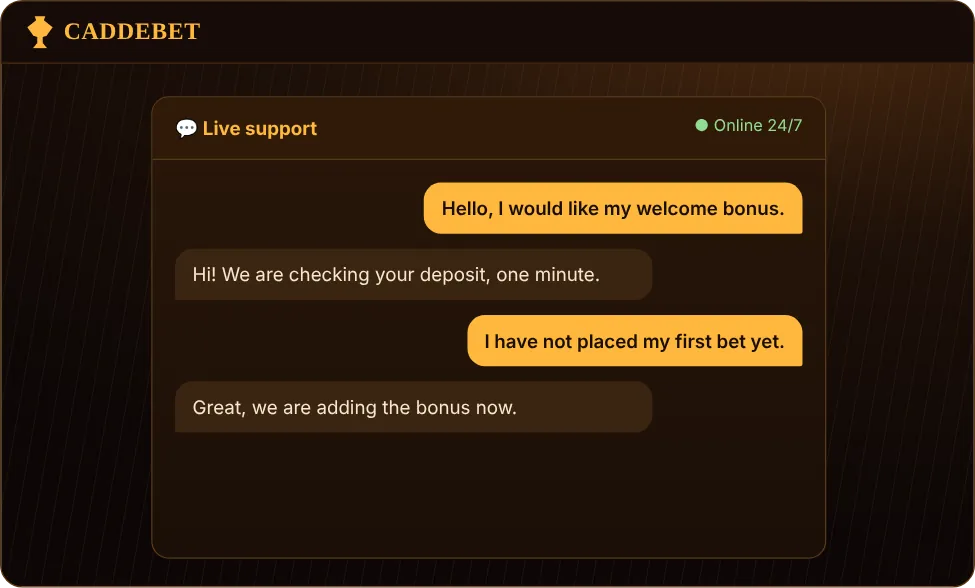
There are four safe ways to verify:
- Type the address yourself: cddbt.com.
- Read the domain from the running strip on the site.
- Check the https prefix and the lock icon.
- If in doubt, confirm through live support or [email protected].
A Caddebet new address appears in the moving strip as soon as the current one changes; the next domain is shown there as well.
None of these requires clicking a link in a message. When you are checking a Caddebet working link, remember that typing is always safer than clicking.
On a phone, type carefully: copies often use lookalike letters, and a single wrong character can lead to another site. Do not rely on your memory of a domain from last month.
How to Spot a Fake or Cloned Site
Signs of a fake copy:
- The address did not come from the permanent entry and does not match the strip.
- The first page asks for a password or card details.
- It promises extreme bonuses and asks you to deposit immediately.
- The page has typos, broken images or sections that load halfway.
- A chat asks for a password or a verification code.
- There is no https, or the browser shows a security warning.
If you see any of these, enter nothing, close the page and tell us. If you already entered details, change your password immediately.
Fixing DNS and Connection Problems
If the address is right but the site does not open, the problem may be on your network. The table summarises symptoms, causes and fixes:
| Symptom | Cause | What to do |
|---|---|---|
| Site does not open at all | The domain may be blocked | Try cddbt.com and read the strip |
| Page opens but login fails | Cache or cookie issue | Clear cache and cookies |
| Connection times out | DNS not responding | Change DNS or restart the device |
| Works on some networks only | Provider-level differences | Try another network |
| Security warning appears | Fake or wrong address | Do not enter; retype the address |
If the problem continues, try a different browser or a different network; switching to mobile data is often the simplest way around a connection issue. Take a screenshot of any error message, because it helps support find the cause quickly. Terms and addresses can change over time, so check cddbt.com and the strip on the site for the current domain.
If Caddebet odds freeze or a stream does not load, the cause is often a DNS or cache issue rather than the account.
To change DNS, open the network settings of your device and switch the DNS server to a public DNS service. To clear the cache, use your browser settings. If the issue persists, send support a screenshot.
If the Caddebet site down message keeps appearing, check whether other sites open on your connection; if they do, the problem is likely the domain rather than your internet.
Saving and Tracking the New Address
To avoid searching every time, build a few habits. Bookmark the permanent entry cddbt.com. Read the current domain from the strip and note it if you want. Delete old addresses from your bookmarks so you never open a stale link by mistake.
When you save the address, use your own device only and do not pass the link to people you do not know. On a phone, the home-screen shortcut opens in one tap; on a computer, a bookmark does the same job. If the shortcut stops working one day, try cddbt.com again and read the domain shown in the strip on the site. That way you never have to search for the address from scratch.
After you reach the site, save cddbt.com so that a Caddebet live dealer session is easy to rejoin.
Rather than hunting for a Caddebet alternative link, follow the site's own strip, which also shows the next domain and hints at the upcoming change. Do not try to predict when the change will happen.
If you use a home-screen shortcut on your phone, refresh it after each change so that it always opens the latest address.
Reaching the Current Address on Mobile

On mobile the process is the same, only the screen is smaller. Open your browser, type cddbt.com and open the site. The strip appears on mobile as well. To refresh your home-screen shortcut, delete the old one, open the site and add it again from the browser menu.
Keep your browser updated, and if you use a saved shortcut, check once in a while that it still shows the current domain from the strip on the site. Never enter your password on a page you reached through an unknown message.
On mobile, Caddebet slots, the strip and the sports section follow the same address, and Caddebet sports betting works in the phone browser.
A site that fails on mobile data may work on Wi-Fi, and the reverse is also possible; switching networks can fix it. If you use a VPN, check whether it affects the connection. Keep your browser updated and avoid account actions on public Wi-Fi. Registration and login details are in our login guide.
FAQ
How do I find the Caddebet current address?
Type cddbt.com into the address bar, open the site and read the running strip at the top, which shows the current domain. If you are unsure, ask live support.
Does my balance change if the address changes?
No. Your account, balance and bonus status stay the same; you simply log in on the new address.
Can I get the address from Telegram?
We do not use Telegram for address announcements. Rely on the strip, the permanent entry cddbt.com and live support.
What if the site does not open?
Try cddbt.com, clear your cache, check your DNS and try another network. Contact live support if it continues.
How do I recognise a fake site?
If the address does not match the strip, the first page asks for a password or card details, or the browser warns you, it is not our site.
Where can I send a complaint?
Use live support or [email protected], and never share a password or code in the conversation.
There is a risk of losing money, so set a budget in advance and seek help if needed, for example from YEDAM 115. Addresses and conditions can change; check current terms on our site. We wrote this part with the questions people ask about new address in mind.